The Benefits of Software-as-a-Service for Modern Businesses
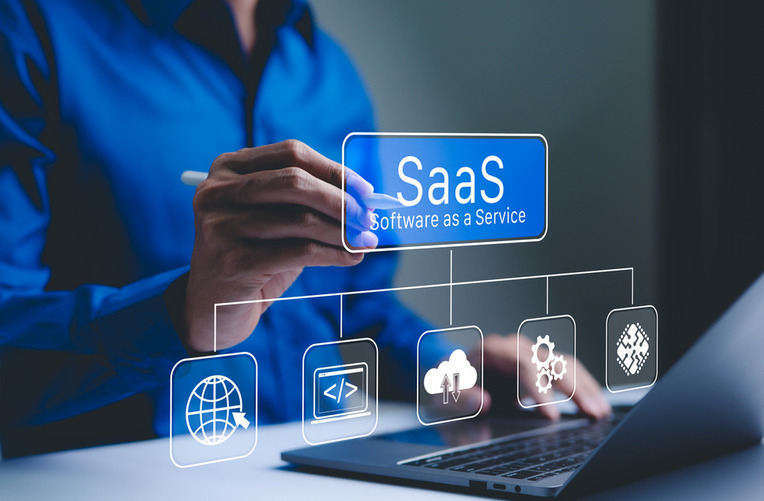
The landscape of corporate computing has shifted dramatically over the past two decades. In the past, deploying a new business tool required purchasing physical server racks, ordering optical media, and spending weeks configuring localized networks. Internal teams had to manually apply security patches, monitor cooling systems, and navigate compatibility errors across individual desktop workstations.
Software-as-a-Service has completely transformed this model. By delivering applications centrally over the internet, cloud-based providers allow enterprises to access enterprise-grade software through a standard web browser. This shift from on-premises hosting to flexible cloud architecture is not simply a technical upgrade; it is a fundamental strategic evolution that helps organizations operate with greater agility, financial efficiency, and resilience.
Lowering Capital Expenditures and Optimizing Cash Flow
A major benefit of adopting cloud software is the immediate reduction in upfront capital investments. Traditional software procurement forced organizations to commit substantial capital to perpetual user licenses, enterprise databases, and dedicated server hardware before seeing any measurable business value.
Cloud-delivered applications operate primarily on subscription models, transforming unpredictable capital expenses into steady operational expenditures.
-
Elimination of physical infrastructure: Companies no longer need to budget for temperature-controlled server rooms, uninterruptible power supplies, or specialized hardware upgrades.
-
Predictable monthly and annual forecasting: Subscription tiers provide transparent cost modeling, allowing financial leaders to project technological expenses based on headcount and usage.
-
Lower entry barriers for advanced tools: Emerging startups and small businesses can access the same advanced analytics, customer relationship management, and enterprise resource planning software historically reserved for corporate conglomerates.
-
Reduced licensing waste: When project scopes conclude or staffing levels fluctuate, organizations can simply reduce their seat licenses instead of carrying amortized, unused software assets.
This financial flexibility frees up capital for product development, sales hiring, and strategic market expansion.
Instant Scalability and Operational Adaptability
Business conditions rarely remain static. Sudden demand spikes, seasonal rushes, corporate acquisitions, and geographic expansions require immediate technological adjustments. On-premises systems often fail during rapid expansion, demanding lengthy hardware procurement cycles that can stall business momentum.
Cloud-based platforms provide near-infinite elasticity. When a business expands into new territories or adds dozens of team members, administrators can deploy user accounts, adjust storage quotas, and unlock additional functionality with a few clicks.
Conversely, if an organization faces an economic slowdown, reducing subscription tiers avoids the financial drag of unused infrastructure. This flexibility allows companies to test new service offerings, pilot exploratory divisions, or adjust to seasonal shifts without expensive long-term commitments.
Accelerating Deployment and Seamless Integration
Setting up legacy on-premises enterprise software historically dragged on for quarters or even years. Complex integrations, custom server configurations, and bespoke coding regularly led to missed deadlines and blown project budgets.
Cloud solutions operate on multitenant architectures, meaning the underlying application, database structure, and hosting environments are already live and tested.
Turnkey Implementation
Organizations can transition from software procurement to live operational use in days or weeks rather than months. Pre-configured industry templates, intuitive graphical interfaces, and standardized onboarding modules accelerate employee adoption, allowing teams to generate value almost immediately.
Standardized APIs and Ecosystem Connectivity
Modern business workflows rely on multiple specialized applications communicating in real time. Leading cloud vendors design their platforms with robust application programming interfaces that connect smoothly with existing tech stacks. A company can easily synchronize its marketing automation platform with its core customer database, financial ledgers, and support ticket queues, breaking down organizational data silos and eliminating manual data entry.
Automated Maintenance, Upgrades, and Innovation
Managing on-premises software requires significant ongoing technical effort. Internal IT professionals spent entire weekends running database backups, resolving software conflicts, and installing updates across hundreds of individual machines.
With cloud platforms, the vendor manages all maintenance, performance monitoring, and software enhancements on the host infrastructure.
-
Zero-downtime updates: Feature upgrades, performance patches, and user interface improvements roll out seamlessly in the background without halting daily business activities.
-
Continuous access to emerging technology: Providers consistently incorporate advanced capabilities, including predictive automation, natural language processing, and machine learning analytics, directly into the platform.
-
Liberated internal resources: Free from routine server maintenance and troubleshooting, in-house technical teams can shift their focus toward high-impact business challenges, digital transformation, and strategic technology initiatives.
This continuous delivery model ensures that businesses never fall behind on an outdated version of a critical software tool.
Powering Distributed Teams and Global Collaboration
The global shift toward remote, hybrid, and decentralized work environments requires tools that support cross-functional collaboration regardless of location. Traditional desktop applications tied employees to physical corporate desks, creating operational bottlenecks when teams worked off-site.
Cloud-delivered platforms serve as the operational backbone for distributed teams. Because the software and underlying records live securely in the cloud, employees can access documents, update client accounts, and review metrics from any internet-connected device.
Real-time collaboration features allow multiple team members to edit spreadsheets, coordinate project tasks, and resolve customer support tickets simultaneously. Version control issues disappear because all users reference a single, centralized dataset that updates dynamically. This transparent connectivity keeps global workforces aligned and productive across time zones.
Enterprise-Grade Security and Automated Business Continuity
Small and mid-sized enterprises often struggle to maintain the comprehensive cybersecurity safeguards necessary to counter modern threats. Staffing round-the-clock security operations centers, achieving international data privacy certifications, and purchasing advanced threat detection software can quickly exceed typical IT budgets.
Reputable cloud providers invest heavily in multi-layered security architectures that exceed the capabilities of average corporate data centers.
-
Advanced data encryption: Communications and sensitive stored records are protected using robust cryptographic standards, both in transit and at rest.
-
Continuous compliance monitoring: Enterprise cloud vendors undergo rigorous third-party audits to maintain compliance with stringent regulatory standards, such as SOC 2, HIPAA, and GDPR.
-
Automated redundancy and backups: Data is mirrored across geodistributed data centers, ensuring that localized hardware failures or power grid disruptions do not cause catastrophic data loss.
-
Rapid disaster recovery: If a laptop is stolen, damaged, or infected with malware, company data remains safe in the cloud, allowing the employee to resume operations from a replacement machine in minutes.
Partnering with established cloud vendors helps organizations protect their intellectual property and build customer trust without managing complex security infrastructure in-house.
Frequently Asked Questions
What is the fundamental difference between SaaS, PaaS, and IaaS?
Software-as-a-Service provides ready-to-use, end-user applications delivered directly over the web, such as email suites, CRM software, and accounting systems. Platform-as-a-Service provides a cloud environment and framework that developers use to build, test, and run custom applications without managing the underlying servers. Infrastructure-as-a-Service provides raw, virtualized computing power, storage, and networking hardware that engineers manage and configure from the ground up.
How do companies maintain data governance and privacy when utilizing multitenant cloud software?
In multitenant software, multiple customers share the same underlying computing infrastructure and application code, but their data remains logically partitioned and isolated. Providers enforce strict database access policies, unique tenant identifiers, and cryptographic boundaries that prevent one customer from accessing another account records. Additionally, leading vendors offer granular role-based access controls and audit logs to give businesses complete visibility over internal permissions.
What happens to corporate data if an enterprise decides to cancel its SaaS subscription?
Reputable cloud vendors outline explicit data retention and offboarding policies within their Master Services Agreements. Upon contract termination, the customer is granted an export window to extract their proprietary data in universal formats, such as CSV files, JSON payloads, or relational database dumps. Once the contracted transition window closes, the vendor systematically purges the customer data from active production drives and backup arrays according to security compliance protocols.
How does cloud application adoption impact an organization internet bandwidth requirements?
Because processing, computational storage, and interface rendering occur over the network, adopting cloud tools increases reliance on a fast, reliable internet connection. Organizations transitioning to cloud-first models should audit network infrastructure, secure redundant broadband lines with automated failover routing, and install quality-of-service rules on local routers to prioritize critical business applications over casual web browsing.
What is shadow IT, and how does the accessibility of SaaS contribute to it?
Shadow IT refers to employees using software, hardware, or cloud services inside a corporate environment without the knowledge, vetting, or approval of the official IT department. Because cloud tools can be set up quickly with a standard corporate credit card, departments often deploy independent tools to resolve immediate bottlenecks. While this boosts short-term productivity, unvetted applications can create security vulnerabilities, compliance violations, and duplicated software expenditures across the company.
Can SaaS applications continue to function if an employee loses their internet connection?
Most cloud platforms require an active internet connection to retrieve and display live records. However, many modern applications incorporate local offline modes. These tools use local browser storage to let employees draft documents, input notes, or review cached data while disconnected. Once the device reconnects to the network, the software automatically synchronizes the offline changes with the centralized database.
How should an enterprise evaluate the financial health and longevity of a SaaS vendor before committing?
Before integrating a critical application into core workflows, businesses should conduct thorough vendor due diligence. Review the provider operational history, verified system uptime records, public financial filings or funding backing, and client retention rates. It is also prudent to review disaster recovery protocols and ensure that data portability terms are clearly defined in the contract in the event the vendor undergoes restructuring, acquisition, or discontinuation.